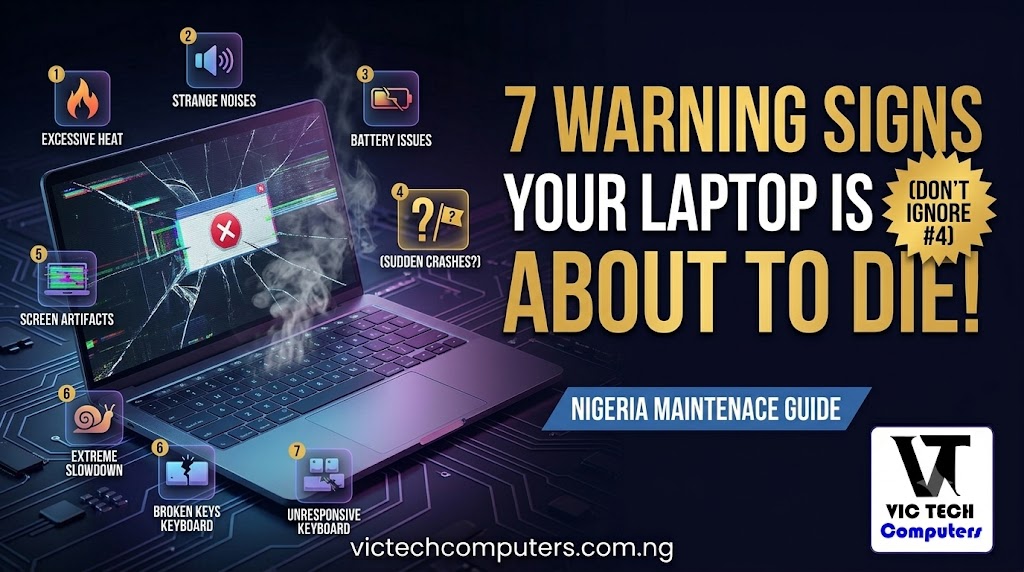
7 Warning Signs Your Laptop Is About to Die (Don’t Ignore Number 4)
· June 6, 2026 · 💬 1 comments
Nobody wakes up one morning and says “today feels like a good day to lose everything on my laptop.” But that’s exactly what happens to thousands of people every year — and almost every single time, the laptop had been giving warnings for weeks or even months before it finally gave up.
The problem is, most of us ignore those warnings. We blame it on “the laptop is just old” or “let me restart it and see.” We keep using it. And then one day — nothing. Black screen. Dead. And with it, everything you hadn’t backed up.
Your laptop doesn’t just die without warning. It sends signals — sluggish performance, strange sounds, unexpected shutdowns. Most people ignore them until the machine stops turning on. By then, recovering your data can be costly, and sometimes impossible.
So before that happens to you, here are 7 warning signs to watch for. If your laptop is showing any of these right now, take it seriously.
1. It Takes Forever to Start Up — And It Keeps Getting Worse
Remember when your laptop used to be ready in under 30 seconds? If that same laptop now takes three, four, five minutes to fully boot up — and it’s been getting slower over time — something is wrong. Not “getting old” wrong. Actually wrong.
A laptop that used to boot in 20 seconds but now takes two minutes isn’t just getting old. It could be a failing hard drive, a dying battery causing thermal throttling, or RAM that’s starting to go.
The tricky thing is that slow boot times feel gradual. You barely notice each individual change. But if you think back to how fast it used to be six months ago versus today, the difference can be shocking. Don’t write it off. That slowdown is your laptop trying to communicate something.
check out: How Do I Make It Faster? (10 Real Fixes That Work in 2026)
2. Random Freezing and Crashing for No Reason
One moment you’re working normally. The next, the screen freezes, the mouse stops responding, and the only thing you can do is hold the power button down and force restart. Then it happens again the next day. And the day after.
If your laptop is intermittently freezing and not working, it usually means that the laptop is failing to access or process data. That could be your RAM starting to fail, your storage drive developing bad sectors, or your operating system becoming corrupted.
Any one of these things, left unchecked, will get worse. The freezes will become more frequent. Eventually the laptop won’t come back from one of them at all.
3. The Fan Runs Non-Stop Like It’s Trying to Take Off
Your laptop’s fan is supposed to spin up when you’re doing something demanding — watching videos, running multiple apps, doing something heavy. Then when things calm down, the fan should quiet down too.
If your fan is constantly running at full speed even when you’re just browsing the web or reading a document — and the bottom of the laptop is hot to the touch — your laptop is overheating chronically. When your laptop fan is always running or your chassis feels scorching hot after even a short session, that’s a clear red flag. Dust buildup, worn-out cooling systems, or dried-out thermal paste can all cause this.
Chronic overheating slowly damages every component inside your laptop. The processor, the RAM, the storage drive — heat is their worst enemy. If this is happening to your laptop right now, at minimum get it cleaned out by a technician. In Nigeria’s dusty, hot environment, dust buildup inside laptops is extremely common and almost always the first thing to check.
4. Your Battery Dies Faster Than It Should — Or the Laptop Shuts Off Randomly
This one catches people off guard the most. You’re working on something important. Your battery says 40%. Suddenly — the laptop just shuts off. Not a crash. Not a freeze. Just off, like someone pulled a plug.
A laptop crashing without warning could be a sign of a failing battery — this may be the case even if the battery supposedly still shows a charge. A functioning laptop battery should provide the device with a consistent flow of power, and when it fails to do so, the laptop shuts down unexpectedly.
This is particularly dangerous in Nigeria because so many of us depend on laptop battery life during power cuts. A battery that lies to you about its charge level and shuts down without warning is not just annoying — it’s a serious risk of data loss.
The good news is that a bad battery is usually replaceable. The bad news is that if you keep ignoring it, the unstable power delivery can damage other components over time.
5. Strange Noises — Clicking, Grinding, or Whirring
Laptops are supposed to be mostly quiet. Yes, the fan makes noise. Yes, you might hear a soft hum. But clicking, grinding, or a loud mechanical whirring sound coming from inside your laptop is never normal.
Unusual noises such as grinding or clicking sounds could be a sign that the hard drive or fan is failing. If your laptop still uses a traditional spinning hard drive (HDD), clicking noises in particular are an emergency warning — it means the drive’s read/write head is struggling, and data loss can happen at any moment.
If you hear clicking from your laptop right now, stop what you’re doing and back up everything immediately. Not tomorrow. Right now. A clicking hard drive can die within hours.
6. The Screen Has Lines, Flickering, or Patches of Weird Colour
Your screen working perfectly one minute and then showing horizontal lines, flickering randomly, or patches of discoloured pixels is not a normal feature of aging. It’s a hardware failure in progress.
If you notice lines on your screen, first connect an external monitor. If the lines disappear on the external screen, your laptop screen is failing. If they’re still there on the external monitor too, your graphics chip might be dying.
Screen issues can sometimes be fixed relatively cheaply if it’s just the screen panel itself. But if the problem is the graphics chip on the motherboard, the repair cost can quickly approach or exceed the cost of a replacement laptop. Either way, act quickly — don’t let it get worse.
7. Files Are Disappearing, Corrupting, or Refusing to Open
This one is the most urgent sign of all. If files you know you saved are suddenly missing, if documents you open show garbled text or refuse to load, if apps that worked fine yesterday are now crashing on launch — your storage drive is likely failing.
If you’re seeing drive failure warnings, disappearing files, or long save times, it’s likely your SSD or HDD is nearing the end of its life. Back up everything immediately. Most drives are rated for a certain number of write cycles, and when those are used up, sudden data loss can follow without warning.
This is the warning sign that has ruined the most people’s days — graduation projects lost, business documents gone, years of photos vanished. There is no recovering from a completely failed drive without expensive professional data recovery services, and even then it’s not guaranteed.
What Should You Do If You Notice These Signs?
First — back up your data today. Copy your important files to an external hard drive, a USB drive, or Google Drive. Do this before anything else. Whatever is wrong with your laptop, your data is what actually matters.
Second — take it to a technician. A qualified laptop repair person can diagnose exactly what’s failing and whether it’s worth repairing or time to replace. In most cities in Nigeria, a good diagnostic check costs between ₦2,000 and ₦5,000 and can save you from a much more expensive problem later.
Third — don’t wait. Most people bring their laptops in when it’s already too late — the screen won’t turn on or the hard drive has completely failed. The earlier you catch a problem, the more options you have.
When Is It Time to Just Replace It?
If your laptop is showing multiple signs from this list, is more than five years old, and repairs are adding up — it’s probably time to move on. A repair that costs ₦80,000 on a laptop worth ₦150,000 doesn’t make financial sense when you could put that money toward a newer machine.
Browse the latest laptop options at VicTechComputers.com.ng — Nigeria’s #1 laptop comparison platform. We help you find the right replacement at the right price, so when it’s time to upgrade, you spend your money wisely.



You can drop comments, questions or suggestions down below the thanks